What Structured Data Does a Blog Post Need in 2026? A Short List
A blog post needs four pieces of structured data: a BlogPosting (or Article) object, a Person as the author, an Organization as the publisher, and a BreadcrumbList. The BlogPosting carries the headline, dates and image. Nothing else is required. FAQPage and HowTo markup no longer earn rich results in Google, so they are optional, and the list has shrunk rather than grown.
This post is built on Google's structured data documentation for Article, breadcrumbs and Organization, and on its general guidelines. It also uses Google's documentation changelog, which records what was withdrawn and when, John Mueller's August 2023 post on FAQ and HowTo, and the schema.org definitions of BlogPosting and Person. The JSON-LD example uses Clockbird, a fictional time-tracking app, as the publisher.
Which structured data types does a blog post actually need?
A blog post needs BlogPosting with a Person author, an Organization publisher and a BreadcrumbList. Everything else depends on the post, and two once-popular types no longer do anything visible in Google. Structured data is "a standardized format for providing information about a page and classifying the page content", in Google's definition. Google's pages describe it as a way to understand and display a page, not as a ranking factor.
| Type | Why add it | Still useful in 2026? |
|---|---|---|
| BlogPosting (or Article) | Tells Google the headline, author, dates and image, so it can "show better title text, images, and date information" | Yes |
| Person (as author) | Names the author and links to a page that identifies them, through url or sameAs |
Yes |
| Organization (as publisher) | Says who is behind the site; helps Google "disambiguate your organization in search results" and pick a logo | Yes |
| BreadcrumbList | Lets Google "categorize the information from the page in search results" | Yes, on desktop only since January 2025 |
| FAQPage | Earned an expandable FAQ rich result, only for government and health sites from August 2023 until May 2026; still valid schema.org markup that does no harm | Not visibly: Google retired FAQ rich results on May 7, 2026. Keep it if you like, expect nothing to show |
| HowTo | Earned a step-by-step rich result | No: deprecated in September 2023 |
The third column comes from Google's documentation changelog, which dates the retirements. The BlogPosting schema, the author, the publisher and the breadcrumb are the four rows that still pay for themselves.
Why BlogPosting rather than Article, and what goes in it?
BlogPosting is the schema.org type for "a blog post", a child of Article. Google accepts Article, NewsArticle and BlogPosting interchangeably for its article features, so the choice is about accuracy, not reward. Use BlogPosting for a post on a blog, NewsArticle for news, and Article when neither fits.
Google's Article structured data documentation says "there are no required properties; instead, add the properties that apply to your content". It recommends headline, author, author.name, author.url, datePublished, dateModified and image. Three notes from the same page are worth keeping. Use a concise headline, because "long titles may be truncated on some devices". Put a timezone on the dates, or Google picks a default. Supply images of at least 50,000 pixels in area, in 16x9, 4x3 and 1x1 crops.
On schema.org, BlogPosting sits under Thing > CreativeWork > Article > SocialMediaPosting > BlogPosting. It inherits author, publisher, datePublished, dateModified, headline, about and citation from CreativeWork, and wordCount from Article. Google's Article page does not list citation, but it is a tidy way to record the sources your post links.
How should the author and publisher be marked up?
Mark the author up as a Person with a name and a url (or sameAs) pointing to a page about them. Mark the publisher up as an Organization with its name, url and logo. Google says to "use the Person type for people, and the Organization type for organizations", never a bare Thing.
Google's author best practices, added to the Article documentation in June 2022, spell out the properties it recommends. Put only the name in author.name. Give each author their own author entry rather than merging names. Use author.url for "a link to a web page that uniquely identifies the author of the article"; Google says it "can understand both sameAs and url when disambiguating authors". If that page is on your own site, Google's ProfilePage markup applies: its documentation lists "an 'About Me' page on a blog site" as a valid use.
The author schema is a Person object. schema.org defines Person as "a person (alive, dead, undead, or fictional)", with jobTitle, worksFor, knowsAbout and sameAs among its properties. Use the real person. A pen name with no page behind it gives an engine nothing to connect.
For the publisher, Google recommends full Organization markup "on your home page, or a single page that describes your organization", with a logo of at least 112 by 112 pixels. Inside each post, the Organization publisher entry can be short: the name, the URL and the logo, pointing at the same organization.
Is FAQPage schema still worth adding in 2026?
Not for anything visible. According to Google's documentation changelog, FAQ rich results stopped appearing in Google Search on May 7, 2026. The changelog added a deprecation notice on May 8 and removed the FAQ documentation on June 15, 2026. FAQPage is still a valid schema.org type and does no harm, so keep it if you like, but it earns nothing visible.
The documentation page itself is gone. As of October 2026 the FAQPage address on Google Search Central redirects to the changelog entry that removed it. The changelog does not say what, if anything, Google still does with the markup, which is the reason to expect nothing visible rather than a hidden benefit.
The retreat took three years. On August 8, 2023 Google announced that FAQ rich results "will only be shown for well-known, authoritative government and health websites", which removed the feature for almost every blog. The changelog entry of May 8, 2026 says: "This feature will no longer appear in Google Search starting May 7, 2026." John Mueller's advice from the 2023 post still holds. "While you can drop this structured data from your site, there's no need to proactively remove it," he wrote. Unused markup, he added, "does not cause problems for Search, but also has no visible effects in Google Search".
Keep the FAQ section itself. A real FAQ answers questions the body left open, and that text is what readers and AI answers use; the markup only ever decorated a search result. Our post on writing an FAQ section that ranks covers the writing. We now treat the FAQPage markup as optional and the FAQ text as essential.
What happened to HowTo schema?
HowTo schema is deprecated. Google removed HowTo rich results from mobile in August 2023 and from desktop a month later. Google's announcement, updated September 14, 2023, now says "as of September 13, Google Search no longer shows How-to rich results on desktop, which means this result type is now deprecated".
For a blog post that explains steps, the structure still matters, just not the markup. Write the steps as a numbered list under a heading that names the task, because that is the passage a featured snippet or an AI answer lifts. Google's changelog of September 14, 2023 records the removal of the HowTo documentation "as this rich result is no longer shown in search results, on both desktop and mobile devices". Leaving old HowTo markup in place does nothing either way; removing it saves bytes and confusion.
Does breadcrumb markup still do anything?
Yes, on desktop. Google uses the BreadcrumbList schema "to categorize the information from the page in search results". Its changelog entry of January 22, 2025 says breadcrumbs now "only appear on desktop search results, not mobile", because they were truncated on small screens.
The markup is small. A BreadcrumbList must "contain at least two ListItems", each with a position and a name. Every item except the last also needs an item URL; for the last, Google uses the page's own URL. For a blog post that is usually Home, then the blog, then the post title.
Keep it matching the visible breadcrumb on the page. Google's general guidelines say structured data "must be a true representation of the page content" and warn against marking up "content that is not visible to readers of the page".
How do you add and test the JSON-LD?
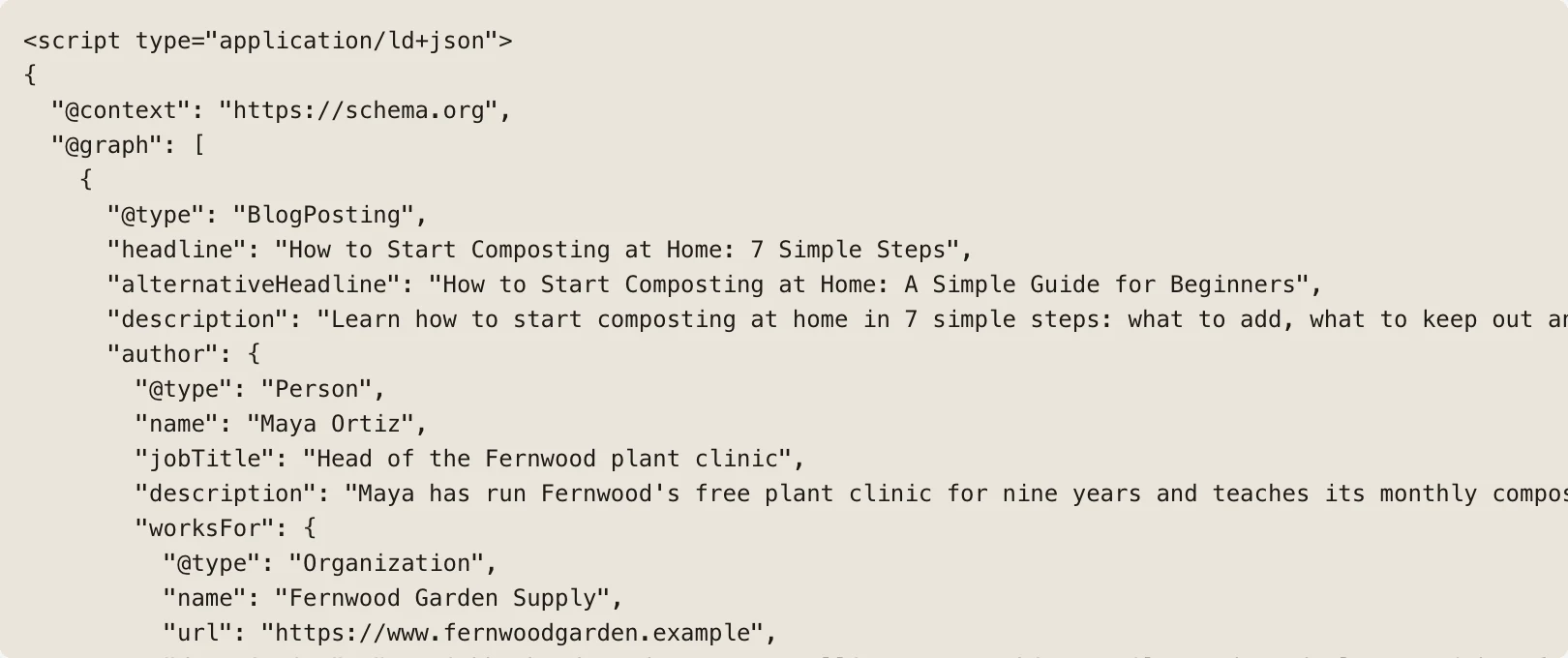
Add one <script type="application/ld+json"> block to the post's HTML, with the BlogPosting, its author and publisher nested inside, and test the URL in Google's Rich Results Test. Google recommends JSON-LD because it is "the easiest solution for website owners to implement and maintain at scale", though Microdata and RDFa work too.
JSON-LD is a W3C standard. JSON-LD 1.1 became a W3C Recommendation on 16 July 2020, defined as "a JSON-based format to serialize Linked Data". A minimal JSON-LD block for a blog post from Clockbird, our fictional time-tracking example, looks like this:
{
  "@context": "https://schema.org",
  "@type": "BlogPosting",
  "headline": "How to round billable hours without annoying clients",
  "datePublished": "2026-10-29T09:00:00-04:00",
  "dateModified": "2026-10-29T09:00:00-04:00",
  "image": ["https://clockbird.example/img/rounding-16x9.jpg"],
  "author": {"@type": "Person", "name": "Dana Reyes", "url": "https://clockbird.example/about/dana"},
  "publisher": {"@type": "Organization", "name": "Clockbird", "url": "https://clockbird.example/", "logo": "https://clockbird.example/logo.png"}
}
Then test it, before publishing rather than after:
- Paste the URL or the code into the Rich Results Test, which Google calls "an easy and useful tool for validating your structured data".
- Fix anything flagged as an error, and treat warnings as optional properties you may add.
- Check the Search Console enhancement reports a few weeks after publishing.
Google's guidelines say to specify all required properties, and warn that Google "does not guarantee that your structured data will show up in search results" even when the test passes. Rich results for blog posts are a possibility, never a promise. We recommend treating the test as a check on honesty rather than a ticket to a feature.
PARCHMNT is a writing tool that researches what ranks for a search, writes the page, checks every claim and tracks where it lands in Google and AI answers. Its Schema tab generates the JSON-LD from the finished article: a BlogPosting with the named Person author, the business as publisher and the breadcrumb. It lists what is missing, such as an author without a public profile or a post without an image. We built it to produce only what is true for the page, because the general guidelines are, in the end, a rule about honesty.
Key takeaways
- A blog post needs BlogPosting (or Article) with headline, dates and image, a Person author, an Organization publisher and a BreadcrumbList.
- Google lists no required Article properties; author, dates, headline and image are recommended, and Person and Organization must not be replaced by Thing.
- FAQ rich results left Google Search on May 7, 2026, and HowTo rich results were deprecated in September 2023; neither markup earns anything visible now.
- Breadcrumbs still show on desktop results, not mobile, since January 2025.
- Use JSON-LD, test in the Rich Results Test, and never mark up what the reader cannot see.
Frequently asked questions
Does structured data improve rankings?
Google does not say so, and its pages describe structured data as a way to understand and display a page, not to rank it. Its general guidelines say Google "does not guarantee that your structured data will show up in search results". The Article documentation promises better titles, images and dates, not positions. Treat it as clarity for machines, with the ranking work done by the page itself.
Does Google require Article markup to show a blog post?
No, it does not. Google's Article documentation says there are no required properties, and the markup is optional: a blog post without any structured data can be indexed, ranked and quoted. What the markup adds is unambiguous facts about the page, which Google can use for better title text, images and dates in results. Add it for clarity, not for permission.
Do AI assistants read schema markup?
Not as a requirement. Google's AI features page says "there's also no special schema.org structured data that you need to add" to appear in AI Overviews or AI Mode. OpenAI's crawler documentation does not mention schema at all. Structured data still helps by stating the author, dates and publisher in a form that cannot be misread, which supports the trust those systems look for. For what they do weigh, see our posts on how AI assistants choose which sources to cite and how to get cited by Perplexity.
Should you remove old FAQ and HowTo markup?
You can, but you do not have to. John Mueller's guidance from Google's 2023 post is that there is no need to proactively remove it and that unused structured data causes no problems for Search. Remove it when you next touch the template, to keep the page honest and light, and spend the saved effort on the Person and Organization objects that still matter.
What structured data does a blog post need? The list, once more
BlogPosting with headline, dates and image, a Person author with a page behind them, and an Organization publisher with a logo. Add a BreadcrumbList that matches the visible path, all in one JSON-LD block that passes the Rich Results Test. FAQPage and HowTo are optional now, so put the effort into the four that still work. If you would rather have the markup generated from the article and checked for gaps, try one article free.
Sources
- a standardized format for providing information about a page and classifying the page content
- show better title text, images, and date information
- disambiguate your organization in search results
- categorize the information from the page in search results
- a person (alive, dead, undead, or fictional)
- documentation changelog
- will only be shown for well-known, authoritative government and health websites
- must be a true representation of the page content
- JSON-LD 1.1 became a W3C Recommendation on 16 July 2020
- Google's AI features page
This post was written and checked with the same rules PARCHMNT applies to every page it writes for a customer: researched against what ranks today, answer first, every figure with a source.
Try 1 article free