How to Write a Title Tag That Gets More Clicks (Before and After)
To write a title tag that gets more clicks, keep it between 50 and 60 characters and put the words the searcher typed near the start. Promise one specific thing the page delivers: a number, an outcome, an audience. Make it match the page's H1 and content, so Google shows your title instead of writing its own.
A title tag is the <title> element in a page's HTML. Google calls the headline it shows in search results the title link, and it does not always use yours. This post is built on Google Search Central's documentation on title links and Google's 2021 explanation of why it rewrites titles. It also uses two click-through studies we opened and checked, and the title tests we run.
How long should a title tag be?
Keep a title tag between 50 and 60 characters. On title tag length, Google sets no limit, but it cuts titles to fit the screen, and titles over 60 characters are the ones most often rewritten. Shorter titles also leave room for the specific promise that earns the click.
Google's documentation on title links says there is no limit on how long the title element can be. But the title link "is truncated in Google Search results as needed, typically to fit the device width".
Cyrus Shepard's study at Zyppy covered 80,959 title tags across 2,370 sites, with data from early 2022. It found that "any title over 60 characters had a greater than 76% chance of getting rewritten". Titles of 51 to 60 characters were rewritten least, between 39 and 42 percent of the time.
Backlinko's analysis of about four million results, updated in April 2025, found that "title tags between 40 to 60 characters have the best organic CTR". The page gives two different figures for the size of that effect, 8.9 and 33.3 percent, so treat the direction as the finding rather than the number.
The fifty to sixty range is practice, not a Google rule. It is where the two studies overlap and where a title fits on a phone.
Where should the keyword go in a title tag?
Put the words the searcher typed at or near the start of the title tag, in the order they typed them. A searcher scans results for their own words. A title that opens with them is recognized faster than one that buries them after a brand name or a clever lead-in.
Google's documentation lists what it reads to build a title link. The list includes the title element, the main visual title, heading elements such as the H1, the og:title tag, anchor text, and the text of links pointing to the page. It says "the goal of the title link is to best represent and describe each result". A title that opens with the topic is doing Google's job for it.
The W3C's accessibility guideline 2.4.2 puts the same idea as a requirement: "Web pages have titles that describe topic or purpose". Its stated intent is to help users "find content and orient themselves within it".
Two cautions. Keyword near the start does not mean keyword repeated; Google's guidance says to "avoid keyword stuffing". The brand goes at the end, after a colon or a pipe; Google's advice is to "brand your titles concisely".
How do you make a title specific enough to earn the click?
A specific title names what the reader gets: a number, an outcome, an audience, a year. "Billable Hours: A Complete Guide" promises everything and therefore nothing; "How to Round Billable Hours: 6, 10 or 15 Minutes" tells a freelancer the page answers their exact question.
Here is the shape as a before and after table, with Clockbird, a fictional time-tracking app, as the example:
| Before | After | What changed |
|---|---|---|
| Home | Clockbird: Time Tracking for Freelancers Who Bill Hourly | Says what the page is and who it is for |
| Billable Hours: A Complete Guide | How to Round Billable Hours: 6, 10 or 15 Minutes | A specific question and the three real options |
| 10 Amazing Time Tracking Tips You Need Right Now | 10 Time Tracking Habits That Cut Unbilled Hours (2026) | No hype; adds the outcome and the year |
| Pricing | Clockbird Pricing: Free for One Person, Paid From Two | The answer is in the title |
What the evidence says about tricks: Backlinko found that question and non-question titles had click rates of 15.5 and 16.3 percent, a difference it calls not significant. It also found that positive titles had a 4.1 percent higher click rate than negative ones.
Google's helpful content page asks: "Does the main heading or page title avoid exaggerating or being shocking in nature?" "Amazing" and "Right Now" fail that test and bring the wrong clicks.
Why does Google rewrite title tags?
Google rewrites a title when the title element describes the page worse than other text on it: the H1, large text, or links pointing at it. Google still uses the title element most of the time, so a good title is usually kept. A rewrite is a signal that yours has a problem.
Google's own figure for how often it uses the title element is from 2021. In September that year, Google's Danny Sullivan wrote that "title elements are now used around 87% of the time, rather than around 80% before". He listed the patterns that trigger a change: half-empty titles from templates, obsolete titles with last year's date, and inaccurate titles for pages whose content changed. Micro-boilerplate titles, repeated across one section of a site, are the fourth.
Zyppy's 2022 count was higher, with Google altering 61.6 percent of titles. But it counted small changes, such as a removed dash or a trimmed brand, as rewrites, so the two figures are not the same measure. What both agree on: length over 60 characters, a title that disagrees with the H1, and boilerplate get a title replaced. Google's documentation says it tries to work out whether the title element "isn't accurately showing what a page is about".
How do you write a title tag that gets more clicks and still matches the page?
Write the title last, from the page, not first, from the keyword. Read the opening paragraph, ask what one promise the page keeps that the other results do not, and put that promise after the keyword. The H1 should say the same thing in slightly more words, so Google sees one title, not two.
A title that over-promises gets clicks once and loses them in the long run: the reader leaves, and the next searcher sees the same gap. Google's helpful content page asks: "Does the main heading or page title provide a descriptive, helpful summary of the content?"
The checklist we use before a title goes live:
- 50 to 60 characters, checked in a preview at phone width.
- The searcher's words first, in their order.
- One specific promise the page keeps: a number, an outcome, an audience or a year.
- The same promise in the H1, in slightly more words.
- No other page on the site with the same title; Google's guidance says to "avoid repeated or boilerplate text" in titles.
How do you test a title and read the result?
Change the title on a page that already sits on page one, and leave everything else alone. Then compare its click-through rate in Search Console for the two weeks after against the two weeks before, at the same position. A title cannot be judged on a page nobody sees.
Google's Search Console help defines the number: "CTR (click-through rate): The click count divided by the impression count". It notes that "the newest data can be preliminary", which is one reason to wait two weeks rather than two days. Check that the average position stayed roughly the same; if it moved, the change in clicks belongs to the position, not the title.
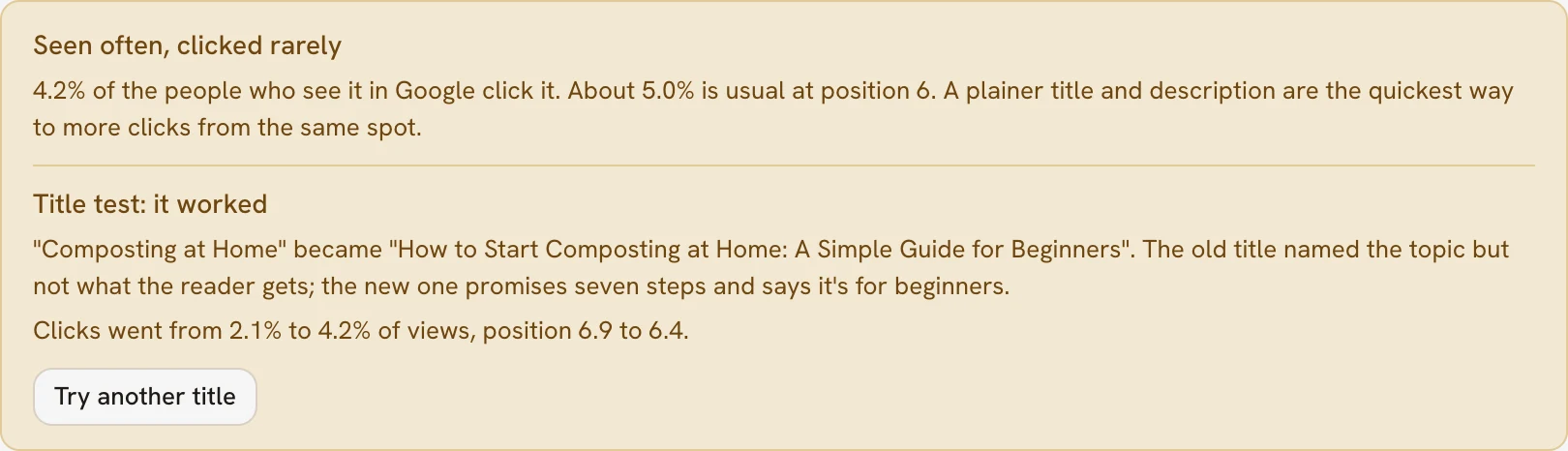
PARCHMNT is a writing tool that researches what ranks for a search, writes the page, checks every claim and tracks where it lands in Google and AI answers. When a page on page one gets few clicks for its spot, its title test writes a new H1, SEO title and meta description to these rules. It publishes them to the same post, and two weeks later records the click rate after against the click rate before.
We run them on this journal too; a test that can come back "no better" is the only kind worth running. Our post on what a good click-through rate is in Google search gives the numbers to compare against. Our guide to tracking where your pages rank for free covers the Search Console setup.
Key takeaways
- Keep titles to 50 to 60 characters: Google cuts longer ones to the screen, and Zyppy found titles over 60 characters rewritten more than three quarters of the time.
- The searcher's words first, the brand last.
- One specific promise: a number, an outcome, an audience or a year, and nothing the page does not deliver.
- Match the H1 and the page; Google said in 2021 that it uses the title element around 87 percent of the time and rewrites the rest.
- Test on a page that already ranks, and compare the click rate at the same position two weeks later.
Frequently asked questions
Should the brand name go in the title tag?
At the end, briefly, when it helps a reader trust the result. Google's guidance is to "brand your titles concisely", and its documentation says Google may omit the site name from the title link if it is repetitive. A known brand earns clicks; an unknown one spends characters the promise needed more.
Is the title tag the same as the H1?
No. The title tag sits in the page's head and shows in search results and browser tabs; the H1 is the visible headline on the page. Google reads both, and may use the first heading as the title link when the two disagree. Make the H1 a slightly longer version of the title with the same promise.
Do title tags affect rankings?
Nobody publishes a figure, Google included. The title's measurable effect is on clicks, which Search Console shows you. Any effect on position is not something Google documents, and we do not claim one. Write the title to describe the page and win the click, and judge it by the click rate.
How to write a title tag that gets more clicks, in one list
Keep it to 50 to 60 characters, open with the searcher's words, promise one specific thing, and match the H1 and the page. Brand it at the end, then test it on a page that ranks and read the click rate two weeks later. If you would rather have the title written to those rules and tested for you, try one article free.
Sources
- is truncated in Google Search results as needed, typically to fit the device width
- Cyrus Shepard's study at Zyppy
- title tags between 40 to 60 characters have the best organic CTR
- Web pages have titles that describe topic or purpose
- Does the main heading or page title avoid exaggerating or being shocking in nature?
- title elements are now used around 87% of the time, rather than around 80% before
- CTR (click-through rate): The click count divided by the impression count
This post was written and checked with the same rules PARCHMNT applies to every page it writes for a customer: researched against what ranks today, answer first, every figure with a source.
Try 1 article free