Do Blog Posts Need Images to Rank? What Google's Docs Say
Blog posts do not need images to rank. Google's guide to its ranking systems names no system that rewards pictures, and a text answer with no image can hold the top spot. Original photos win image search and prove you did the work. Alt text makes a page usable and indexable, and a picture of the real thing is something an AI answer can show.
Images are the photos, screenshots and diagrams in a post; the question is what they do and do not do. This post is built on Google Search Central's documentation on images, page experience and lazy loading, and on Google's guide to its ranking systems. It also uses the W3C's images tutorial and how we handle pictures in our own tool.
Do blog posts need images to rank in Google?
No. A blog post can rank without a single image, and the official list of what Google ranks by does not mention images. The honest answer is narrower than "images help SEO": images are not a ranking factor for the text, and they do several other things that matter.
Google's guide to its ranking systems lists the systems it uses. They run from the "passage ranking system", which identifies "individual sections or 'passages' of a web page", to the reviews system and the freshness systems. As of October 2026, the word "image" does not appear in that guide's body text. That is a reading of a document anyone can repeat, not a statement from Google that images count for nothing; Google publishes no such statement either way.
What Google does publish is image guidance that says where images count: in Google Images, in accessibility and in the surrounding page. If a post is not ranking, a missing image is almost never the cause; our guide to why a blog post is not ranking lists the usual ones.
What do images do for a page, if not rank it?
Images do four things a text-only post cannot. They bring traffic from image search, prove you did the thing, make a page easier to use, and give an AI answer something to show. None of those is a ranking signal for the text; each is a reason to add a picture that shows something.
- Image search. Google's image documentation is about getting pictures into Google Images. It says "Google extracts information about the subject matter of the image from the content of the page". A photo of your real work, on a page about that work, is what that index wants.
- Evidence. Google's guidance on writing reviews asks writers to "provide evidence such as visuals, audio, or other links of your own experience" with what they review. A screenshot is evidence; a stock photo of a laptop is not.
- Accessibility. The W3C's images tutorial says "images must have text alternatives that describe the information or function represented by them". It lists "images become indexable by search engines" among the benefits.
- Trust. A page with the author's own photos reads as written by someone who was there; that is our observation, and it is why our own checks score a real photo above a stock one.
Which images help a blog post?
The images that help show something the text describes. That means a photo of the actual work, a screenshot of the actual screen, a chart of real numbers, or a diagram of a process.
Here is a table of image types and what each one does:
| Image | What it does | When to use it |
|---|---|---|
| Original photo of your work | Proves first-hand experience, can rank in image search | A page about that work or place |
| Screenshot of a screen or setting | Shows the exact step, quotable in how-to answers | Tutorials, tool comparisons, settings |
| Frame from your own video | Original, matches the text, costs nothing | Posts built from a video |
| Chart of your own numbers | Shows the figure, can be lifted into answers | Posts with your own measurements |
| Simple diagram | Explains a process faster than a paragraph | Steps, flows, how parts fit |
| Stock photo | Breaks up text; shows nothing about you | Only when nothing real exists, credited |
Google's image documentation adds the quality bar: "High-quality photos appeal to users more than blurry, unclear images". A sharp phone photo of the real thing beats a polished picture of nothing. Posts built from a video have the easiest source: frames from the video. Our guide to turning a YouTube video into a blog post covers how to take them.
Which images should you skip?
Skip images that show nothing real: generic stock photos used as decoration, AI-generated pictures, text rendered as an image, and any picture added to hit a quota. Each one costs load time and attention and returns nothing a reader or an index can use.
Stock photos are the common case. One at the top of a post is harmless if it is credited and relevant; the same handshake photo on every post is wallpaper. AI-generated images are worse on a business page, because they cannot show the customer's real work, and in our experience readers notice.
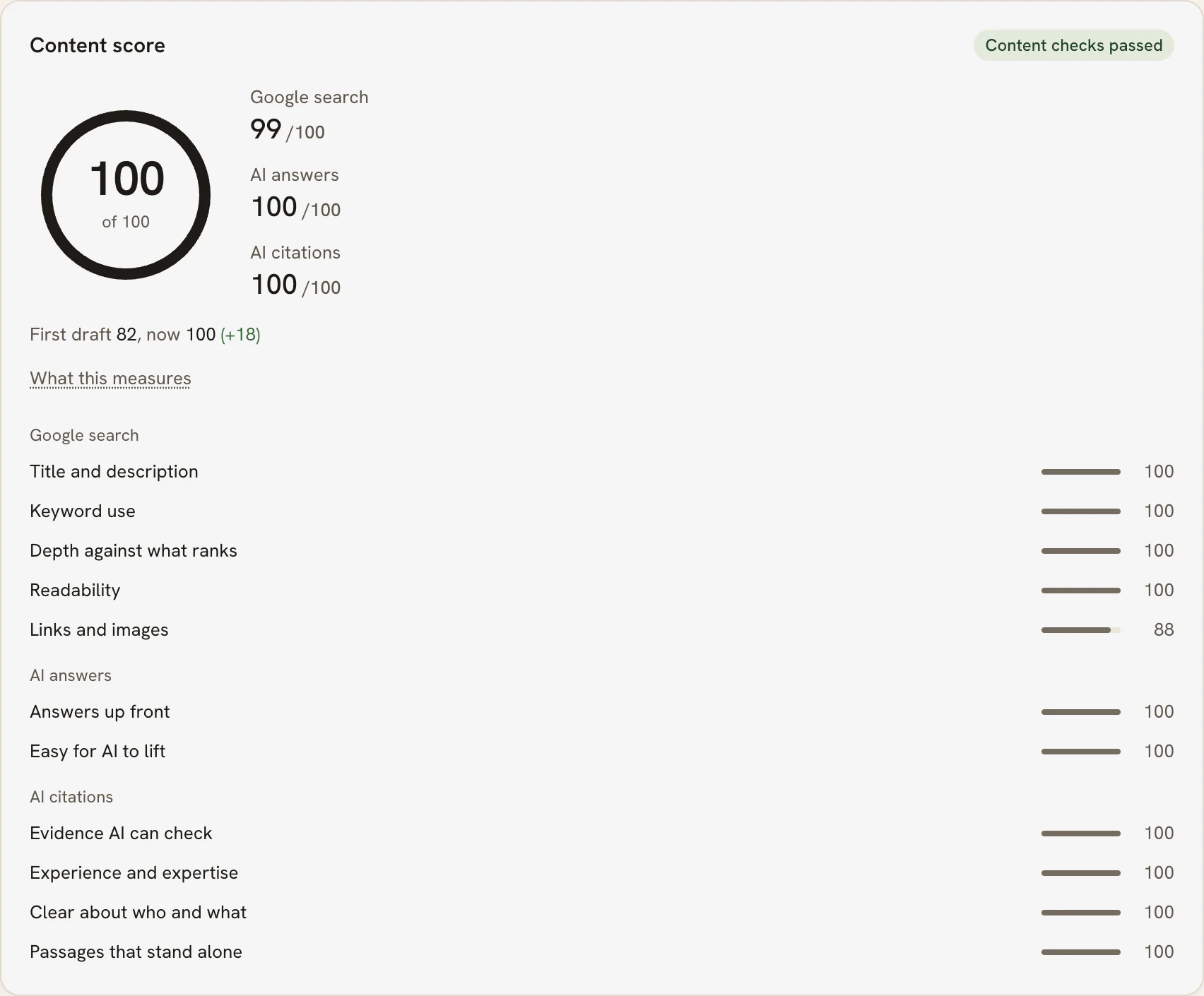
PARCHMNT is a writing tool that researches what ranks for a search, writes the page, checks every claim and tracks where it lands in Google and AI answers. It does not generate AI images, for the reason above. When an article has no pictures, it uses frames from the customer's own video first, then credited stock photos, resized before upload, each with alt text. Its image check scores the customer's own photos above stock.
How do you write alt text and file names?
Alt text says what is in the picture in one plain sentence, for someone who cannot see it. A descriptive file name says the same thing in three or four words with hyphens. Neither is a place for keywords that are not in the picture.
Google's image documentation gives the file name rule with an example: "my-new-black-kitten.jpg is better than IMG00023.JPG". It says to "use filenames that are short, but descriptive". On alt text it is equally plain: "avoid filling alt attributes with keywords", because that "results in a negative user experience". The W3C adds the case for decorative images: use a null text alternative, alt="", "when the only purpose of an image is to add visual decoration".
Write the alt text for the picture, not the page. Take a screenshot from Clockbird, a fictional time-tracking app we use as an example. "Clockbird's rounding setting set to six minutes" is alt text; "best time tracking app for freelancers" is not.
Do images slow a page down enough to hurt rankings?
Images can slow a page enough to hurt it, and this is the one place images touch ranking directly, through page speed. Google says "Core Web Vitals are used by our ranking systems", and the largest of those vitals is usually an image. A page whose top image takes four seconds to appear is paying a ranking cost for a picture.
The vital in question is Largest Contentful Paint. Google's web.dev defines it as the "render time of the largest image, text block, or video visible in the viewport". It says "a good LCP value is 2.5 seconds or less". On most blog posts the largest element in view is the featured image, so its size and format set the score. Resize images to the width they are shown at, and compress them.
Lazy loading helps the images below the fold, with one caution. Google's documentation on lazy loading warns that "if not implemented correctly, this technique can inadvertently hide content from Google". The reason is that "Google Search does not interact with your page", so an image that appears only on scroll may never be seen. Use the browser's built-in loading attribute, which that page recommends, and never lazy-load the image at the top.
Do images help a post get into AI answers?
Nobody publishes this, and we will not pretend otherwise. What can be observed: Google's AI Overviews and Perplexity show images from the pages they cite, and ChatGPT's search answers sometimes do. So a real photo on a cited page can appear beside your name. The text is what gets a page cited; the image is what makes the citation visible.
The research on generative engines measured text changes, not pictures. Aggarwal and colleagues at Princeton found in 2023 that adding citations, quotations and statistics can boost a page's visibility by up to 40 percent. Our guide to writing a blog post that gets quoted by AI covers the text side.
Key takeaways
- Google's guide to its ranking systems names no system that rewards images; a post can rank without one.
- Images earn their place through image search, evidence, accessibility and trust, not through the text's ranking.
- Use pictures of the real thing: your photos, screenshots, frames from your video, charts of your numbers. Skip decoration, AI images and text as images.
- Alt text describes the picture; the file name describes it in three or four words; neither holds keywords that are not in the image.
- The top image is usually the Largest Contentful Paint, which Google's ranking systems use, so resize and compress it and never lazy-load it.
Frequently asked questions
How many images should a blog post have?
As many as show something, and no more; Google publishes no number. Our practice is one image for each section that has something to show, and none for sections that do not, which on a typical post means two to four. A post with eight stock photos and no screenshots has eight images and no evidence.
Does a post need a featured image at the top?
Not for ranking. A featured image is what shows beside the link when the post is shared, and it is usually the largest element in view. So if you use one, make it real and make it fast. A post without one loses nothing in Google's web results; it loses a thumbnail where links are shared.
Do you need an image sitemap?
Only for images Google would not otherwise find. Google's image documentation says an image sitemap lets you "provide the URL of images we might not have otherwise discovered", such as images loaded by script. Images in the HTML of a crawlable post are found without one, so most blogs do not need it.
Do blog posts need images to rank? The short answer
No for the text, yes for everything around it: image search, evidence, accessibility, trust and the Largest Contentful Paint. Use pictures of the real thing with honest alt text, skip decoration, and keep the top image fast. If you would rather have the frames pulled, the photos credited and the alt text written for you, try one article free.
Sources
- passage ranking system
- Google extracts information about the subject matter of the image from the content of the page
- provide evidence such as visuals, audio, or other links of your own experience
- images must have text alternatives that describe the information or function represented by them
- Core Web Vitals are used by our ranking systems
- render time of the largest image, text block, or video visible in the viewport
- if not implemented correctly, this technique can inadvertently hide content from Google
- can boost a page's visibility by up to 40 percent
This post was written and checked with the same rules PARCHMNT applies to every page it writes for a customer: researched against what ranks today, answer first, every figure with a source.
Try 1 article free